TAKE YOUR GAME WITH YOU
One court. Every screen.
On PC, simply open DooPadel in your browser. The Android download is also available for your phone.
On desktop
Play straight from your browser.
Open DooPadel on this PC to access your matches and account.
Open DooPadelAndroid · APK
Your Android app.
Download the APK, open the file, then confirm installation on your Android phone.
Version 0.1.8 · 102.5 MB
Download Android APKFile SHA-256 checksum
6824de2d842584fbc904e2be587366d97299c43d51d5447760420a218e134e7eInstall the APK in three steps
Android may ask you to confirm the download, then allow your browser to install an app. This happens because the app is distributed outside the Play Store.
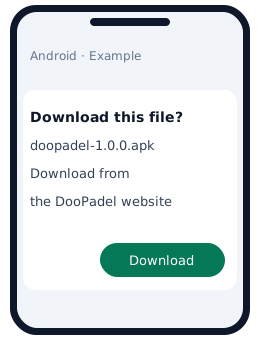
Download the APK from this website, then open the downloaded file.
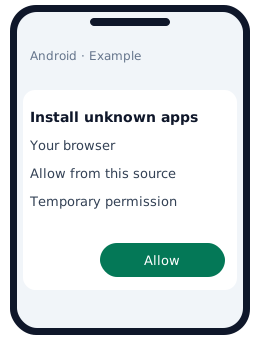
If Android asks, open the suggested settings and allow installations from your browser.
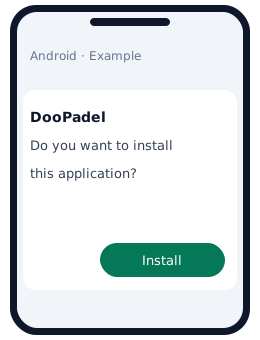
Return to the file, tap Install, then Open. You can then remove your browser’s installation permission.
Example illustrations: screens and wording vary with your Android version and phone manufacturer.
Keep Google Play Protect enabled. If a threat is reported or installation is blocked, stop and contact DooPadel. Android help · Play Protect
During your matches
After an initial online visit, guest games remain available offline on this device. Account matches need an internet connection to load data and submit scores.
Drafts stay on this device. App updates wait for your approval before reloading.